ID Photo Background White, Blue, or Red
Replace an ID, visa, or resume photo background with plain white, a reference blue, or a reference red. For reference only — size, pose, and each country's rules are not checked. Free preview; one HD photo is $1.99.
- White, Blue, or Red
- For Reference Only
- No Sign-up Preview
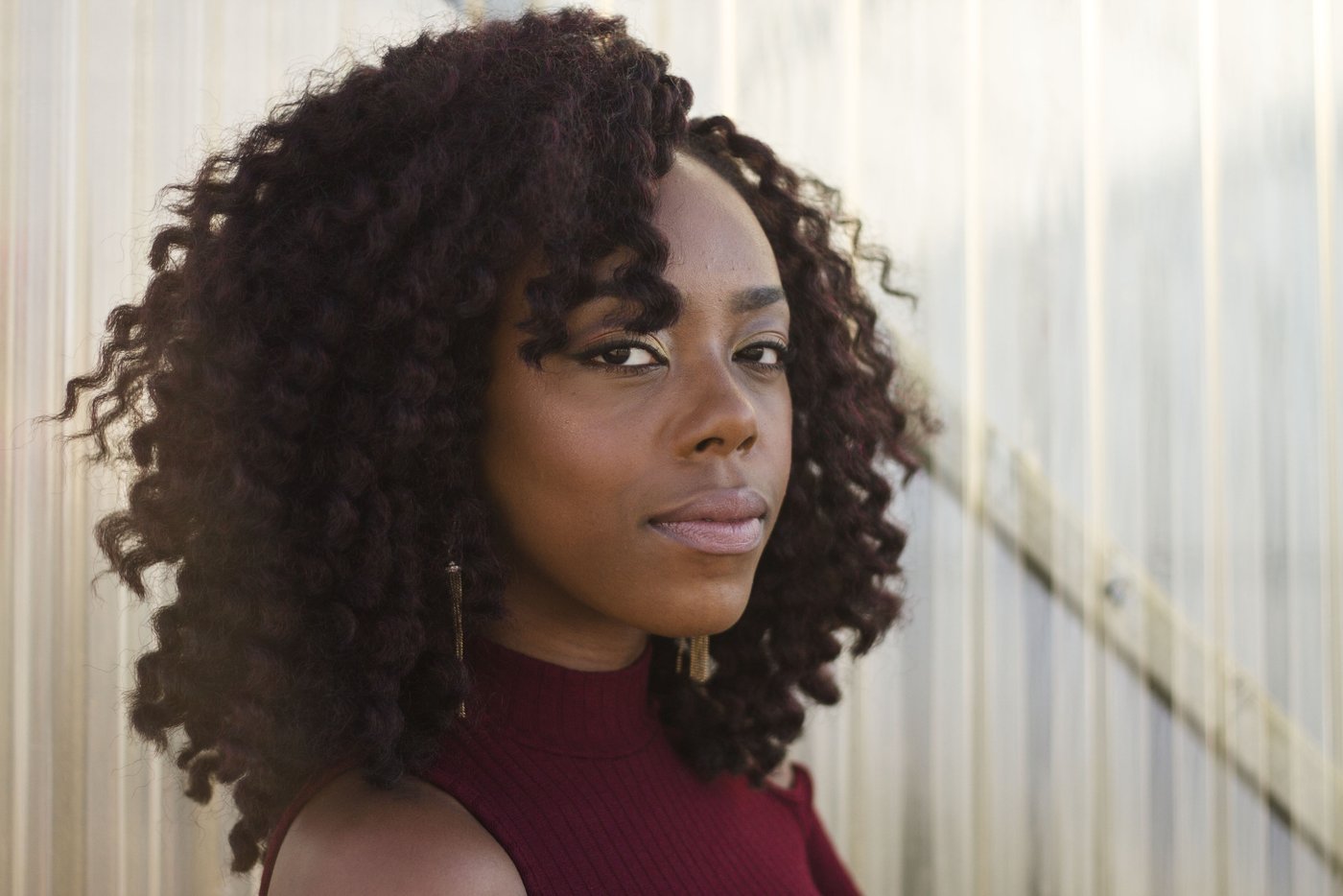 Before
 After
AfterHow to Change an ID Photo Background
Upload the Photo
JPG, PNG, or WebP up to 25MB. Use the original, not a screenshot.
AI Removes the Wall
The person is cut out. Shadows on the wall go with the background. Shadows on the face stay.
Pick White, Blue, or Red
White is #FFFFFF. Blue is #438EDB. Red is #D32027. Leave Natural shadow off.
Download, Then Check the Rules
Free 512px preview, or the HD file for $1.99 or one credit. Crop and check the photo yourself.
A Plain Backdrop, Not a Document Check
This page changes the background of an ID, visa, or résumé photo. The AI (BiRefNet) cuts out the person, then places them on pure white (#FFFFFF), a reference blue (#438EDB), or a reference red (#D32027). The result opens on white. Switch color in the editor before you download.
For reference only. These shades are even studio-style colors so the wall behind you is gone. They are not a national specification, and this page does not crop to 2×2 inches, 35×45 mm, or any other print size. It does not check head size, eye position, expression, glasses, or clothing. Follow each country's own photo rules before you submit anything. The 2×2 inch crop and 4×6 sheet are on 2x2 passport photo, still for reference only.
Passport photos that need plain white stay on the passport photo background page. Hair-edge notes for a normal headshot are on the portrait background remover. A product on white belongs on product photo white background. Any other photo on white stays on make background white. A photo that is not an ID, visa, or résumé shot, and only needs a solid color behind a cutout, uses the background adder.
Reference Colors, Not Country Standards
Issuers ask for different colors, and they change the wording. The table is a reminder of what people look up. It is not a list of photos this tool can approve.
| What people ask about | Background they often look up | What this page actually does |
|---|---|---|
| ID card or application photo | White, blue, or red — the shade depends on the issuer | White #FFFFFF, reference blue #438EDB, or reference red #D32027. Confirm the shade yourself. |
| Visa photo | Often white; some ask for light blue or grey | White is exact. The reference blue is not a light grey and is not a consulate's spec. |
| Résumé or CV photo | Plain, often white or light, and only where a photo is used | White or another preset. Many US résumés do not include a photo at all. |
| Passport photo | Often plain white or off-white | Use the passport photo background page. This page does not size a passport photo either. |
For reference only. If a form names a different hex, RGB value, or grey, download the transparent PNG and add that color in an editor. The authority's own page is the one that counts.
What the Three Colors Are
White — #FFFFFF
RGB 255, 255, 255. The default on this page. A common plain backdrop for ID, visa, and résumé photos. It is still not a guarantee that white is what your form wants.
Reference blue — #438EDB
RGB 67, 142, 219. A mid blue used here so the backdrop is even. It is not "the" blue of any country. If the form shows a swatch, match that swatch, not this one.
Reference red — #D32027
RGB 211, 32, 39. A plain red backdrop, darker than the bright red on the general background changer. Same limit: a reference shade, not a required one.
Anything else
No grey, cream, or custom hex on this page. Choose Transparent, download the PNG, and place it on the exact color. Other solid colors are on the photo background changer.
Photos People Bring Here
ID-style portraits
A person in front of a door or a patterned wall, swapped onto an even color.
Visa photos
The background only. Size and expression rules stay with the consulate.
Résumé photos
A plain backdrop where a CV uses a photo. Skip it where a photo is not wanted.
Team directories
The same white behind several headshots. Crop the square afterward.
Before You Upload
Stand away from the wall
A little distance keeps a shadow from sitting on your hair. The new color removes the wall, not a shadow across your face.
Skip white clothing on white
A white shirt on #FFFFFF can lose the shoulder line. A mid-tone top is easier for the cutout.
Leave the shadow off
Natural shadow is for products sitting on a surface. An ID-style portrait should not have a drop shadow.
Blurry photo first
If the camera moved, try unblur on a sharp-enough original, then come back. This page does not sharpen the face.
Read This Before You Submit a Photo
For reference only. Follow each country's own photo rules. This page does not produce a checked document photo.
- Background only. No crop to passport, visa, or ID dimensions. No head-size, eye-line, or print-layout check.
- The blue and red are reference shades (#438EDB and #D32027), not a country's required color.
- It does not retouch the face, remove glare on glasses, or change expression.
- The free preview is 512px with a watermark. Use the HD download ($1.99 with no account, or one credit) if you need the full file. Even the HD file is not a checked document photo.
- A white logo is the wrong job — use make background white. A product listing photo is product photo white background.
Background Swap vs. a Photo Studio
| This page | A photo studio or pharmacy | |
|---|---|---|
| Background | White, reference blue, or reference red | Shot on the backdrop they use |
| Size and pose checks | You do them | Often included |
| Acceptance | Not promised. For reference only | Depends on the shop and the issuer |
| Cost | Free 512px preview; HD is $1.99 or one credit | Varies by location |
Follow each country's own photo rules. This comparison is about what the tool changes, not about whether a photo will be accepted.
ID Photo Background FAQ
Will this make a passport or visa photo that gets accepted?
No. It only replaces the background. For reference only — follow each country's own photo rules for size, pose, expression, and the exact shade. Nothing here is a checked or approved document photo.
Which colors can I use?
White (#FFFFFF), reference blue (#438EDB), and reference red (#D32027), or transparent. These are even reference shades, not a national standard. For grey or another hex, download the transparent PNG and add that color yourself.
Does it crop to passport or ID size?
No. It does not crop to 2×2 inches, 35×45 mm, or any other size. The 2×2 crop and 4×6 sheet are on 2x2 passport photo. For reference only.
Is the preview free?
Yes. A watermarked 512px preview needs no account. One full-resolution photo with no watermark is $1.99 with no account, or one HD credit. A free account includes 1 credit. Packs are $4.99 for 20 or $9 for 100.
Where do I change a passport photo background to white?
On the passport photo background page. It starts on white and lists a few country notes. It also does not size the photo or promise acceptance.
Can I use this for a résumé photo?
Yes, if you want a plain background and a photo belongs on the résumé. The tool does not know your country's hiring custom. Many US résumés leave the photo off.
Change the ID Photo Background
Upload a photo and see white, reference blue, or reference red. For reference only.