Passport Photo Background Made Plain White
Make a passport photo background plain white in one step: the AI removes the wall, the shadows and the door frame behind you, then fills the frame with #FFFFFF. Background only — check your country's size and pose rules before submitting.
- Plain White
- Removes Wall Shadows
- Free Preview
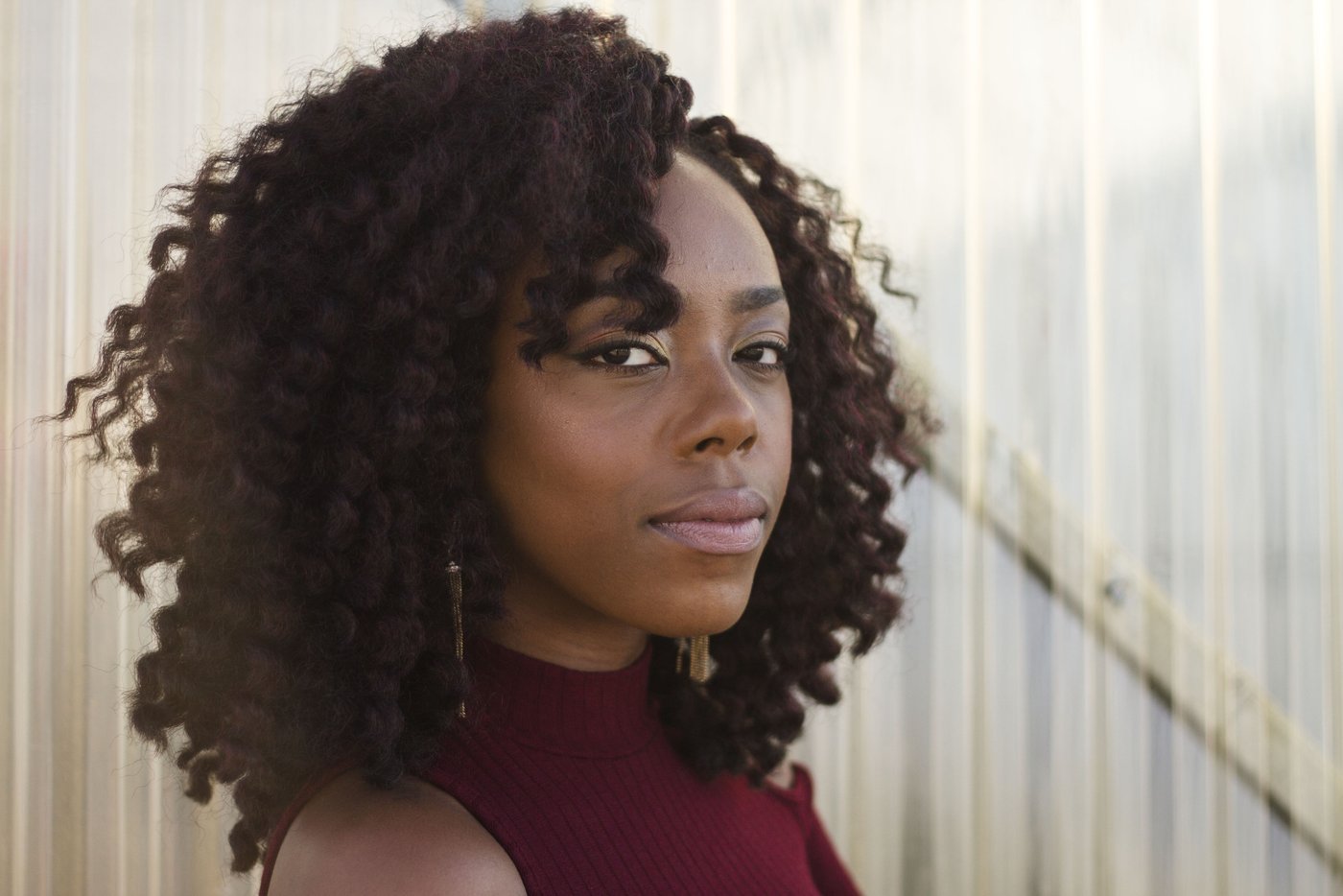 Before
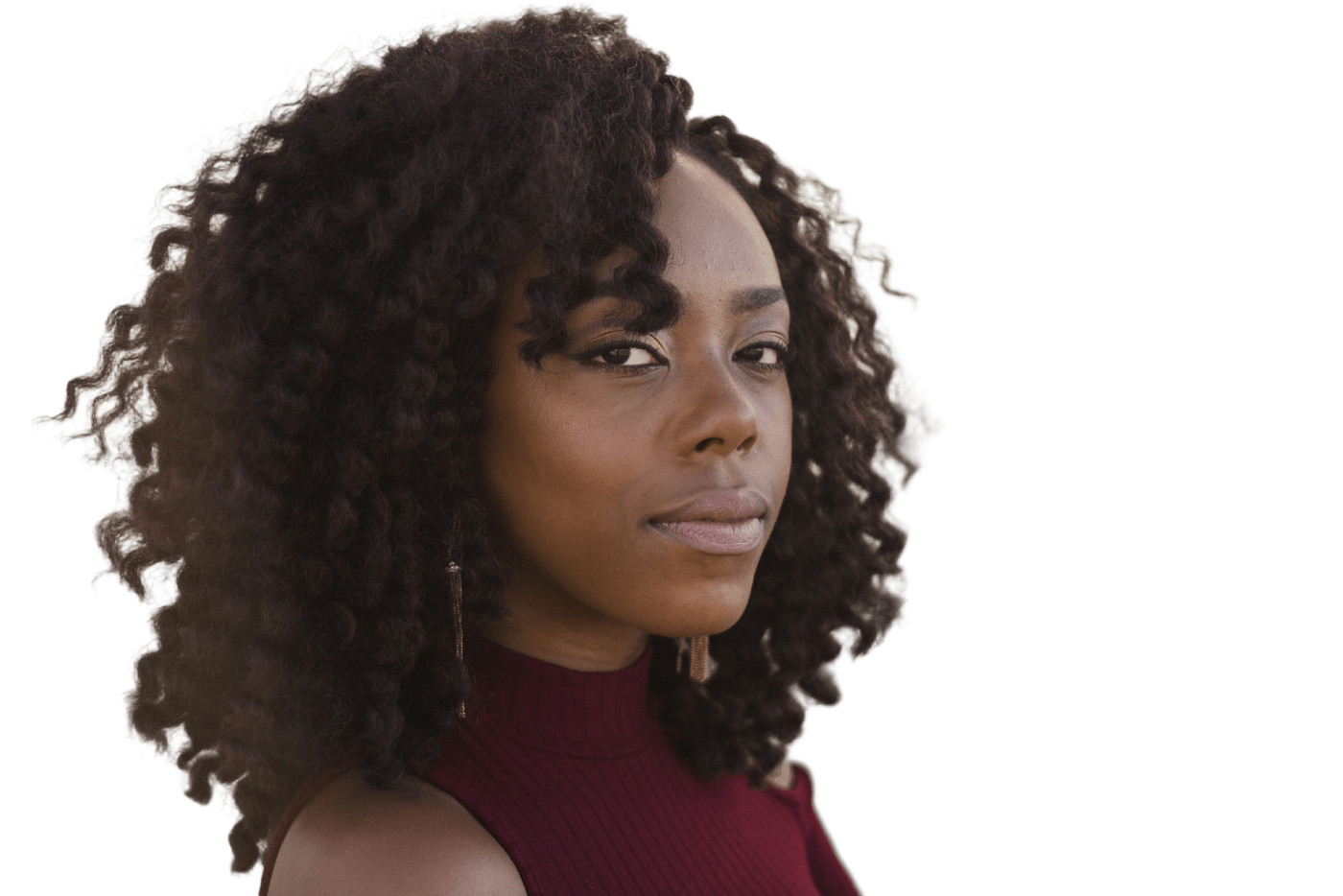 After
How to Change a Passport Photo Background
Take the Photo
Face the camera in even light. Have someone else take it.
Upload It
The original JPG, PNG or WebP (up to 25MB), not a screenshot.
Choose White
The background is removed automatically; pick the white preset.
Download and Size It
Unlock the full-resolution file, then crop and print to official dimensions.
Fix the Background, Keep the Photo
Home-made passport photos are often rejected for small reasons, and the background is a common one: a wall that's grey in one corner, a shadow behind the head, a door frame at the edge. This tool removes the original passport photo background with AI and replaces it with plain white (#FFFFFF), so the area behind you is even and free of shadows. A plain white background for passport photo submissions is what the white preset produces, and the free preview costs nothing to check.
It's deliberately limited to the background. It doesn't crop to official dimensions, check where your head sits in the frame, judge your expression or lay photos out for printing. Use it as one step, then size and check the photo against the rules for your document.
Blue or red for an ID card, a visa photo, or a résumé headshot is a different page. Those reference colors are on ID photo background. That page only changes the background too — it does not size the photo or promise it will be accepted. If all you need is the subject cut out with no color behind it, the general background remover is the page for that.
A 2×2 inch crop (600×600 px) and a 4×6 print sheet are on 2x2 passport photo. A 35×45 mm crop is on Schengen visa photo. For reference only — those pages size the photo and do not check a country's rules.
Background Colors by Country
Requirements differ by country and change from time to time. This summary reflects the official pages linked below at the time of writing — always confirm there before you submit.
| Country / document | Background requirement | Can this tool do it? |
|---|---|---|
| United States | Plain white or off-white | Yes — use the white preset |
| United Kingdom | Plain light-coloured background | Yes — white is a light colour; make sure your face contrasts with it |
| Canada | Plain white or light-coloured | Yes — use the white preset |
| Australia | Plain white or light grey | Yes — use the white preset |
| Schengen visas | Light, uniform background; the exact shade varies by issuing country | Check the consulate's rules first — if they ask for grey or blue, see below |
Links go to official government pages. If anything here differs from the official page, the official page is correct.
Shooting Tips for a Cleaner Result
Light your face evenly
Face a window or use two light sources. Changing the background doesn't fix shadows on your face, and many countries reject them.
Stand away from the wall
A little distance keeps your hair outline clear and stops your shadow from touching your head.
Avoid white clothing
On a white background, a white top can blend in at the shoulders. A mid-tone or dark top gives a clean edge.
Shoot at full resolution
Use the main camera at its normal setting. The HD download keeps your original resolution.
Important Limitations
Please read these before using the result for an official application.
- Background only: no cropping to passport size, no head-size or eye-position checks, no print layout.
- White is the only preset on this page. Reference blue and red for ID, visa, and résumé photos are on the ID photo background page, and those shades are not a country standard. There is no grey preset — download the transparent PNG and add grey in an editor.
- It doesn't fix the face — shadows, glare on glasses or a non-neutral expression stay as they are.
- The free preview is 512px with a watermark and isn't suitable for an application. Use the HD download (one credit).
- Acceptance is decided by the issuing authority; no tool can guarantee it.
- A product, logo, or portrait that only needs a solid color — and is not a passport photo — uses the background adder. This page stays on plain white.
Doing It Yourself vs. a Photo Studio
| This tool + DIY printing | Photo studio or pharmacy | |
|---|---|---|
| Background | Replaced with plain white by AI | Shot against an approved backdrop |
| Size and compliance checks | You do them yourself | Usually done for you |
| Retakes | As many as you like, at home | Depends on the shop |
| Cost | Free preview; HD uses one credit | Varies by location |
Passport Photo Background FAQ
Can I use a photo taken with my phone?
Usually, if it meets the official rules: sharp, evenly lit, facing the camera and taken by someone else. Current phones have more than enough resolution.
Can I get a passport photo white background online?
Yes. Upload the photo and this passport photo background tool fills the frame with white in the browser, with nothing to install. The preview needs no account; the HD file uses one credit.
Is this a passport photo background changer or a size tool?
A background changer only. It does not crop to passport size, move your head into place or check a country's rules. A passport photo background changer stops at the backdrop; crop and print afterwards.
Will shadows on the background get my photo rejected?
Shadows behind the head are a common reason for rejection. Because the whole background is replaced, shadows on the wall behind you disappear with it. Shadows on your face don't.
What color value is the white background?
Pure white: #FFFFFF, or RGB 255, 255, 255.
Does this tool resize my photo to passport size?
No. It only changes the background. Crop and print to your country's official dimensions afterward.
Can I get a light grey background?
There's no grey preset on this page. Choose transparent, download the PNG, and place it on light grey in an image editor. A 35×45 mm photo with white or light gray is on Schengen visa photo. For reference only.
Fix Your Passport Photo Background
Upload your photo and get a plain white background in seconds.