Unblur Image & Sharpen Photos
Rescue photos ruined by a shaky hand or a subject that moved. AI removes light motion blur and softness, and you compare before and after at 100% before you pay anything.
- Fixes Camera Shake
- Before/After Slider
- Optional 4× Upscale
Best for slight motion blur, camera shake and soft focus. Images over 1600px are resized first. Minimum 32px per side.
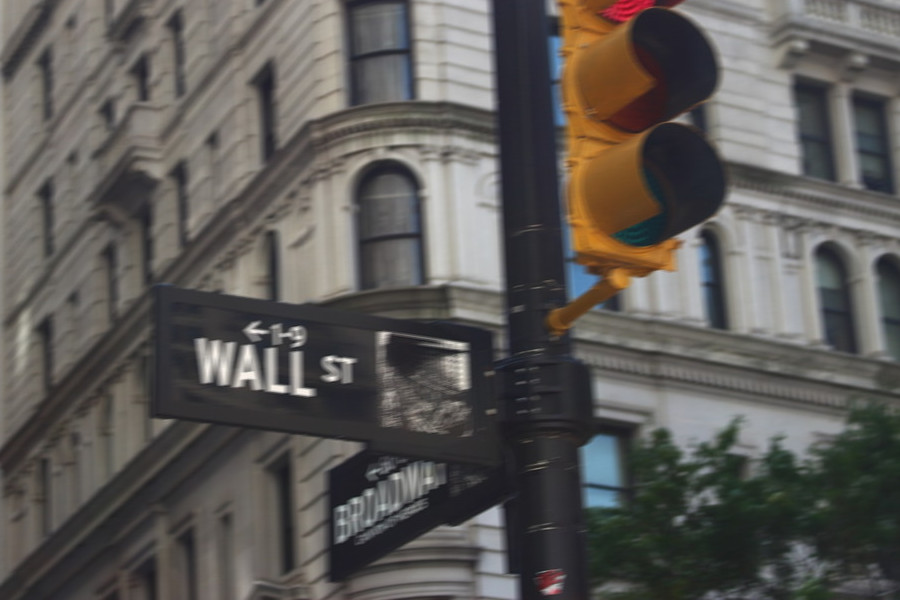 Before
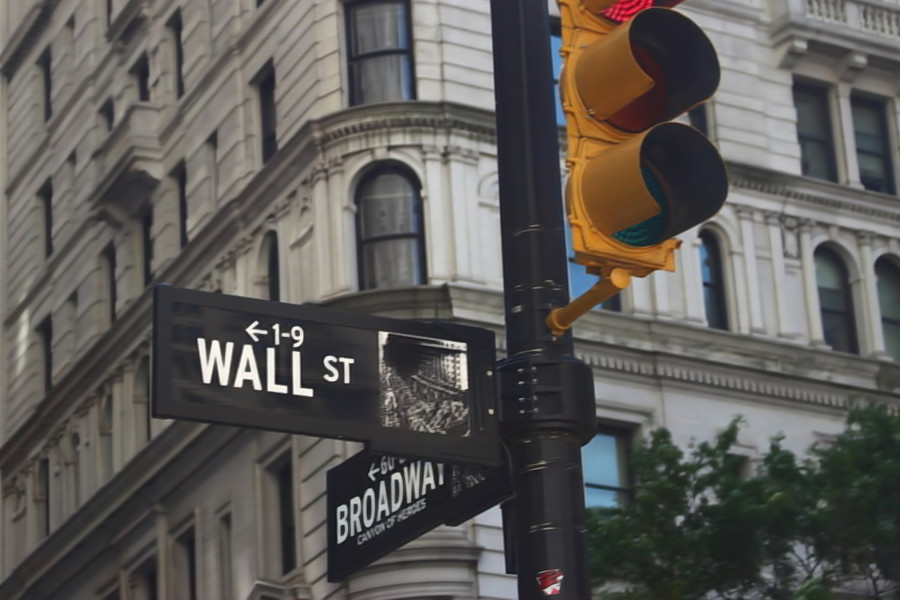 After
AfterHow to Unblur an Image
Upload the Blurry Photo
JPG, PNG or WebP up to 25MB. Use the original file, not a screenshot.
Choose the Size
Keep the original size, or tick "Also upscale 4×" for up to 4096px.
Compare at 100%
Drag the before/after slider and open the 100% zoom view.
Download
Save the free watermarked preview, or unlock the full HD file for 1 credit.
What the Unblur Tool Does
When a photo is blurry because the camera or the subject moved, every point of the scene is smeared into a short streak. This tool sends your photo to an image restoration model (NAFNet, trained to reverse motion blur) that estimates how the picture was smeared and pulls those streaks back together. Edges, eyes, hair and printed lines get noticeably crisper while colors and composition stay the same.
It is a restoration model, not a generative one: it works only with detail that is still in your photo. That's why it is honest about faces and text — it won't paint in a new face or invent letters — and also why it can't rescue a photo where the detail is gone. The result keeps your image size (up to 1600px on the longest side). If you also need more pixels, tick "Also upscale 4×" or use the image upscaler afterwards.
Which Blur Can Be Fixed?
Blur comes in different kinds, and AI handles them very differently. Check where your photo fits before you expect a miracle:
| Type of blur | What to expect | Why |
|---|---|---|
| Camera shake, slight motion blur | Good — clearly sharper | The smear is short and regular, so the model can reverse it |
| Subject moved a little (kids, pets, hands) | Good to fair | Works best when the movement was small |
| Slightly missed focus | Fair — somewhat crisper | Soft edges are tightened, but fine texture may not come back |
| Strong motion blur (long streaks) | Limited | Partial improvement; ripples or ghost edges can remain |
| Badly out of focus | Not fixable | The detail isn't in the photo anymore |
| Small, pixelated or low-resolution image | Use the upscaler instead | That's missing resolution, not blur — try the image upscaler |
The free preview runs the full model, so you can see your own result before spending a credit.
Why AI Can't Read a Blurry License Plate
Movies make it look easy: zoom in, press "enhance", read the plate. Real photos don't work that way. When letters are only a few pixels tall, or blurred so much that they merge into a smudge, the information that tells a 3 from an 8 is simply gone.
Some AI "enhancers" fill that gap by drawing new detail — and they can produce a sharp, convincing plate, face or page of text that is wrong. In our tests, a generative model turned a heavily blurred eye chart into a crisp chart with completely different letters. ZeroBG doesn't use generative models for unblurring: if a face or a word is too blurry to recover, it stays vague instead of being replaced with something made up. For evidence, documents or anything where accuracy matters, that's the behaviour you want.
Unblur or Upscale?
They fix different problems. Unblur removes smearing from a photo that already has enough pixels but looks shaky or soft. Upscaling adds pixels to a small image so it can be shown or printed larger. A sharp but tiny image needs the image upscaler; a large but shaky photo needs this tool; a small and shaky one can get both — tick "Also upscale 4×" here.
Want to clean the photo up further? Remove a stranger with the people remover or erase clutter with the photo eraser.
When to Use It
Shaky Phone Photos
Low light, one-handed shots and slow shutter speeds.
Kids, Pets & Sports
A subject that moved just as you pressed the shutter.
Product & Listing Photos
Slightly soft shots that need crisper edges and labels.
Video Stills
Frames grabbed from a clip often carry light motion blur.
Tips for Sharper Photos
Start from the original
Screenshots and messaging-app copies are compressed; the model has less detail to work with.
Crop after, not before
Unblur the whole photo, then crop — the model uses the surrounding area to estimate the blur.
Next time: faster shutter
Keep the shutter at least 1/(focal length) — 1/125s or faster for moving people — or turn on stabilization.
Tap to focus, brace the phone
Tap the subject before shooting and rest your elbows or the phone on something steady in low light.
Limitations
We'd rather tell you up front than sell you an HD file that doesn't help:
- Badly out-of-focus photos and long motion streaks can't be fully fixed; very strong blur may only improve slightly or show ripple artifacts.
- Tiny faces, license plates and small text that are unreadable in the original stay unreadable — the AI restores detail, it doesn't invent it.
- Noise and heavy JPEG compression are not the main target; very grainy night shots improve less.
- Images larger than 1600px are resized to 1600px on the longest side first (1024px when you also upscale 4×, for results up to 4096px).
- If the AI has been idle, the first photo can take a few minutes while it starts; later photos usually take 5–20 seconds.
- The free preview is a watermarked image up to 1024px plus a watermarked 100% crop. The full-resolution file without watermark uses one credit.
AI Unblur vs. Sharpening Filters
| AI unblur (this tool) | Photoshop Smart Sharpen | Phone "sharpen" slider | Generative AI enhancers | |
|---|---|---|---|---|
| Reverses motion blur | Yes, for light blur | Partly, with manual angle and distance | No — only boosts edge contrast | Redraws the image |
| Halos and noise | Few | Easy to overdo | Common | Usually clean |
| Faithful to the original | Yes — no invented content | Yes | Yes | Can change faces, text and products |
| Effort | Upload and wait | Skill and time | One slider | Upload and wait |
Unblur Image FAQ
Is the unblur tool free?
Yes to try: you can unblur a photo without an account and see a watermarked preview, a before/after slider and a 100% zoom crop. The full-resolution file without watermark uses one credit — 3 come with a free account, and 20 more cost $4.99.
Can it fix any blurry picture?
No. It works best on light motion blur and camera shake, and helps a little with slightly missed focus. Badly out-of-focus photos and long motion streaks can't be fully restored, because the detail is no longer in the image. Check the free preview first.
Will it change faces or text?
It's designed not to. The model sharpens detail that's already in your photo; it doesn't redraw faces or write new letters. A face or word that is too blurry stays soft rather than being replaced with an invented one.
Can it make a blurry license plate or document readable?
Only if the characters are still roughly legible in the original. If they've merged into a smudge, no honest tool can bring them back — tools that appear to are guessing, and the result can be wrong.
What size will the result be?
The same size as your photo, up to 1600px on the longest side (larger photos are resized first). Tick "Also upscale 4×" to get up to 4096px in one step, for the same one credit. For enlarging images that are already sharp, use the image upscaler.
Why does it sometimes take a few minutes?
The unblur model shuts down when nobody has used it for a while. The first photo after a quiet period waits for it to start, which can take a few minutes. After that, photos usually finish in 5–20 seconds. A failed or timed-out attempt doesn't count toward your daily limit.
Unblur Your Photo Now
Upload a shaky or soft photo and compare the result at 100% before you decide.