PNG Maker: Image to Transparent PNG
Make a transparent PNG from any image: the PNG maker cuts out the subject and saves a real alpha channel, sized for stickers, products, and logos. Free preview without an account.
- Transparent PNG
- Free Touch-up Brush
- No Sign-up Preview
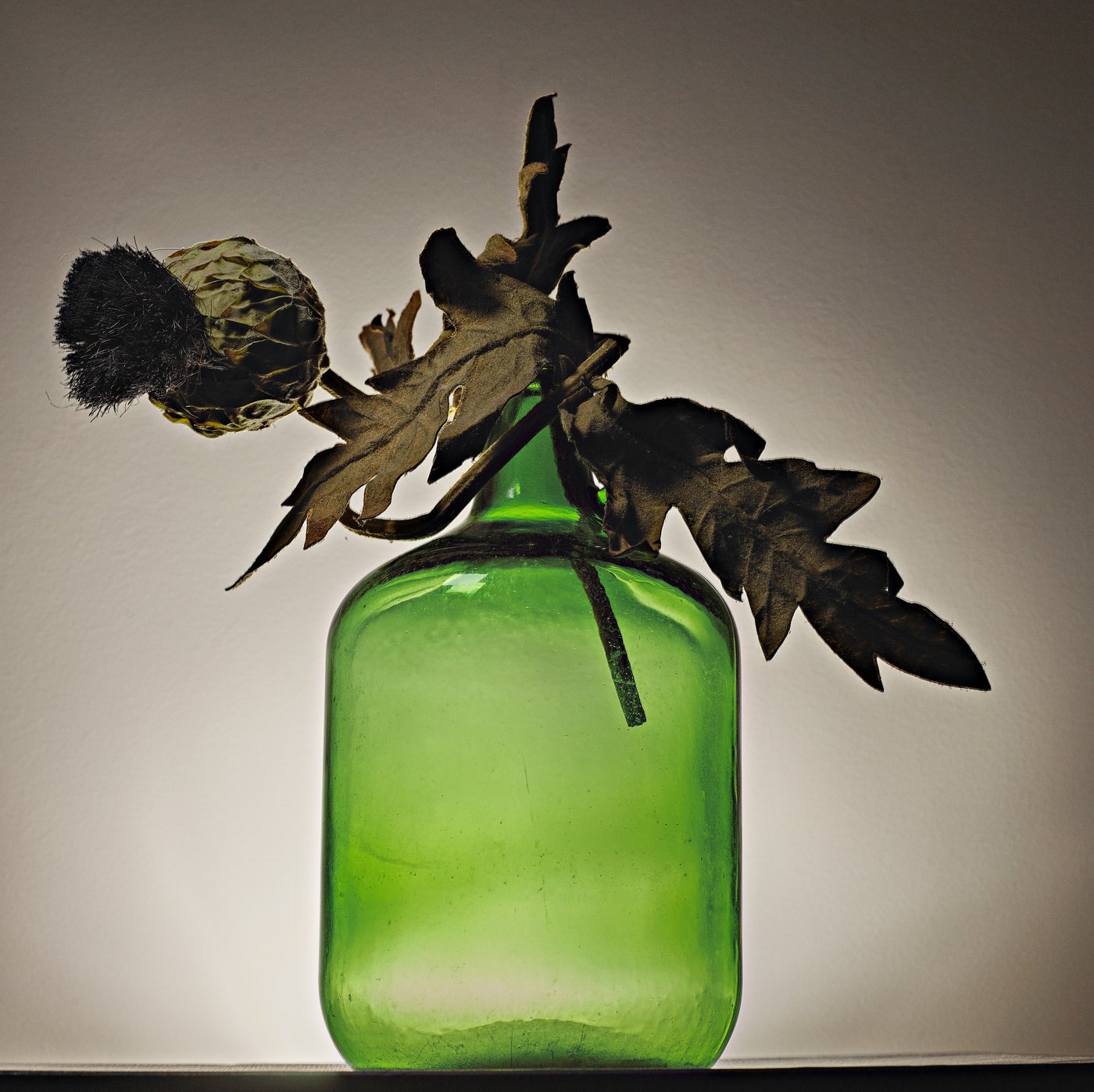 Before
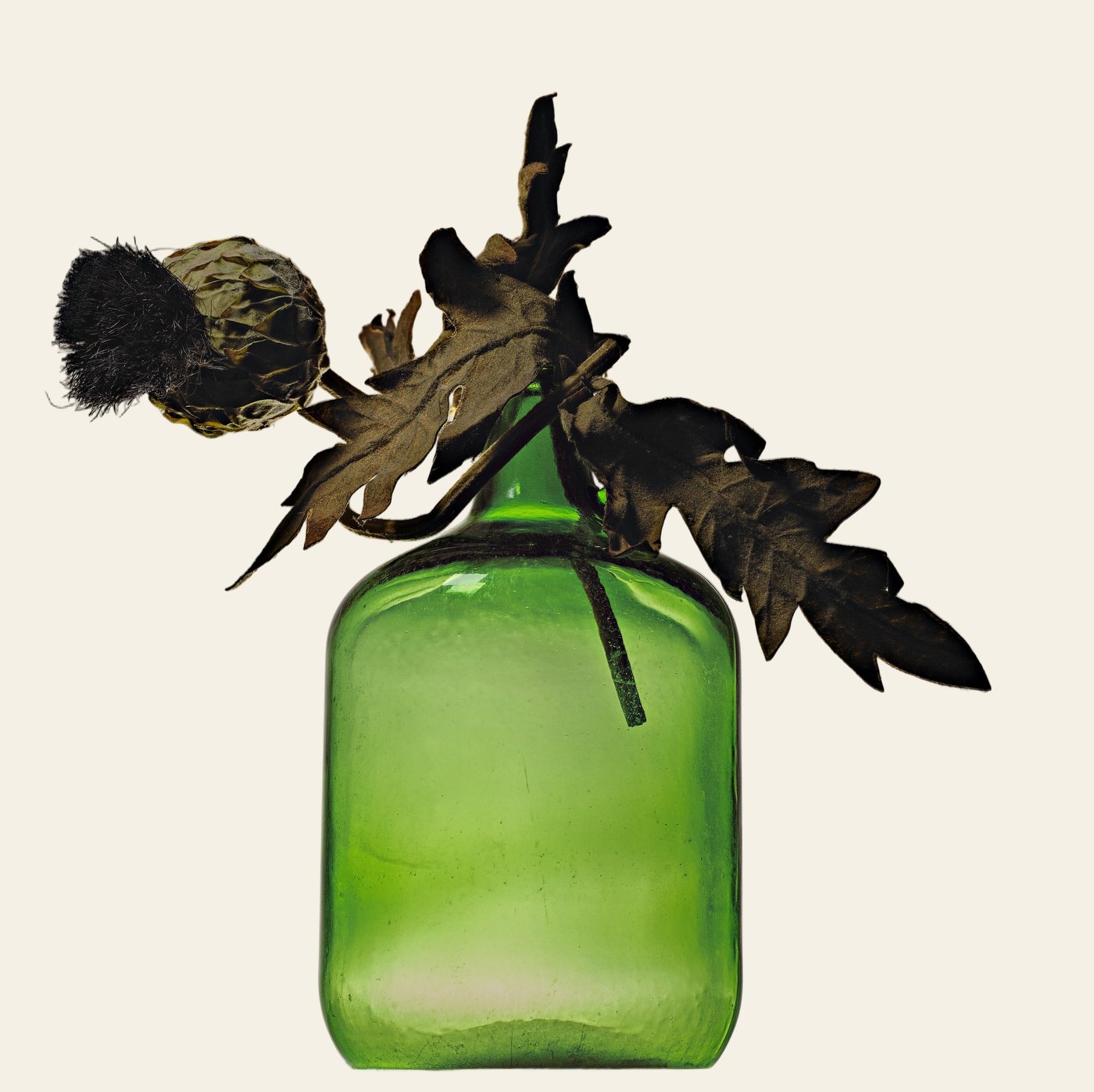 After
How to Make a PNG with a Transparent Background
Upload Your Image
JPG, PNG or WebP, up to 25MB.
AI Removes the Background
The background turns transparent, shown on a checkerboard.
Download the PNG
Free 512px watermarked preview, or the full-resolution PNG for one credit.
Image to Transparent PNG
This free PNG maker turns an image into a transparent PNG. Upload a JPG, WebP or PNG and the background is removed, so the download has a real alpha channel — not a renamed file that still contains the old background. Each pixel can be fully visible, fully see-through or in between, which is why a cutout can sit on a header, a slide or a mockup without a white box.
JPG files can't do this: they have no alpha channel, so every pixel has a solid color. Renaming a JPG to .png doesn't help either — the background is still there. To make a real transparent PNG, the background pixels have to be found and removed.
An AI segmentation model (BiRefNet) finds the main subject and drops everything else. It works as a transparent background maker for photos, products and graphics. A white outline and fixed sizes for chat or print are not this page — that is photo to sticker. A circle cropped from the frame, with transparent corners and no subject cutout, is crop to circle. A frame around the whole file, with no cutout and no upload, is add a border to an image. A left-to-right or top-to-bottom mirror, with no cutout and no upload, is flip an image. To type words onto the photo without uploading it, add text to an image. To put two photos in one file without uploading them, combine two images.
One Step to a Real Alpha Channel
Turning an image into a transparent PNG takes two things: removing the background, and saving the result in a format that keeps transparency. A PNG maker has to do both. Upload a JPG, WebP or PNG here and both happen in one step — the background is removed and the cutout downloads as a PNG with a real alpha channel.
It works the same whether your image is a photo, a product shot on a white table or a PNG that still has a solid white background. If you just need to change the file type and keep the background, any converter will do; if you want the background gone, you need a tool that removes it, like this one.
Make a PNG Transparent
To make a PNG transparent, the background pixels have to go and the file has to keep an alpha channel. A JPG has no alpha channel, and a PNG can still be saved with a solid white box. Upload either one here. The subject stays, and the rest becomes see-through.
People also look for a PNG generator when they want a new file, not a renamed JPG. This PNG maker generates a transparent PNG from the image you upload — an image to transparent PNG in one step. It does not draw a logo or an illustration from a sentence. A prompt that redraws the photo is image to image AI.
Working with a Logo?
Logos on a white background work here too, but they have their own pitfalls: filled-in letter holes, thin strokes and files too small to print. The logo background remover page walks through those, including when to upscale a small logo 4× first.
More Things to Turn into Transparent PNGs
Stickers
Cut a person, pet or object out of a photo for chat stickers or printable stickers.
Product cutouts
Transparent product shots you can drop into banners, ads and comparison graphics.
Design assets
Build a library of cutouts for presentations, thumbnails and collages.
Team headshots
Consistent transparent headshots that can sit on any brand color.
Tips for Cleaner Transparent PNGs
Higher contrast, cleaner edges
A dark logo on white or a bright product on a plain backdrop separates more cleanly than a subject on a busy background.
Use the biggest original
The full-resolution download keeps the size you upload, so start with the largest file you have.
Check it on dark and light
Place the PNG on both a dark and a light background. Faint halos are easiest to spot on the opposite color.
Limitations
- Free previews are 512px on the longest side with a watermark. Full-resolution, watermark-free PNGs use one credit each.
- Glass, smoke, veils and soft shadows can't always be reproduced as partial transparency; edges may be too hard or keep a tint of the old background.
- Logos with very thin lines, tiny text or white details inside the design may lose parts, so always check the preview.
- The AI picks the main subject automatically. You can't choose which object to keep, though the free touch-up brush lets you erase or restore areas by hand.
PNG vs. JPG vs. WebP
| Format | Transparency | File size | Best for |
|---|---|---|---|
| PNG | Yes (alpha channel) | Larger, lossless | Logos, cutouts and graphics that need transparency |
| JPG | No | Small, lossy | Photos where a solid background is fine |
| WebP | Yes | Usually smallest | Websites, where the platform supports it |
This tool accepts all three formats and always exports PNG.
PNG Maker FAQ
Is this PNG maker free?
You can make and download a 512px watermarked PNG for free with no account. One full-resolution PNG is $1.99 with no signup, or sign up for 1 HD credit. Packs are $4.99 for 20 credits or $9 for 100, or they come with a monthly plan.
Can I convert a JPG to a transparent PNG?
Yes. Upload the JPG and the background is removed, leaving a PNG with real transparency. A plain format conversion would keep the background; this removes it, and the PNG comes back from the same background remover as any other upload.
Can I fix parts of the cutout by hand?
Yes. Open Touch up after the cutout: Erase removes leftover background and Restore brings back parts of the subject. The touch-up brush is free. For logos specifically, see the logo background remover.
How do I turn an image into a transparent PNG?
Upload the image, wait a few seconds while the background is removed, then download. The free preview is a 512px watermarked PNG; the HD PNG keeps your original resolution and uses one credit.
Can this PNG generator make a PNG transparent?
Yes, from a photo, logo, or graphic you upload. It removes the background and saves a PNG with a real alpha channel. The free preview is 512px with a watermark. The HD PNG matches the resolution you uploaded and is $1.99 with no account, or one credit. A PNG creator that draws a new picture from a sentence is a different tool; this one only converts the file you upload.
My PNG still has a white background. Can I make it transparent?
Yes. A PNG can store transparency, but that doesn't mean every PNG has it — many are saved with a solid white background. Upload it here and the white background is removed, leaving a transparent PNG.
Why does my transparent PNG show a white or black background?
The file is still transparent — the app you're viewing it in draws a background behind it. Insert it into Canva, Google Slides or a web page and the transparency shows. Make sure you saved the downloaded PNG, not a screenshot.
What size is the PNG?
The free preview is up to 512px on the longest side. The HD version matches the resolution of the image you uploaded.
Can I make a transparent PNG on my phone?
Yes. The tool works in mobile browsers — upload from your photo library and download the PNG.
Make Your Transparent PNG
Upload an image and get a PNG with a transparent background in seconds.